Kafka clients that are running outside of AWS (on-premises environment or other clouds) would require an IAM user with a long-lived access key to be provided as part of their codebase or in their server configuration. From a security perspective, there is an additional risk if anyone gains access to those long-term credentials, as they would have access to that AWS account.
In this post, we demonstrate how to use AWS IAM Roles Anywhere to request temporary AWS security credentials, using x.509 certificates for client applications which enables secure interactions with an Amazon Managed Streaming for Apache Kafka (Amazon MSK) cluster. The solution described in this post is compatible with both Amazon MSK Provisioned and Serverless clusters.
AWS Identity and Access Management (IAM) Roles Anywhere allows you to obtain temporary security credentials in IAM for workloads running outside of AWS, such as servers, containers, and applications.
By using IAM Roles Anywhere, your workloads can utilize the same IAM policies and roles used by AWS applications to access AWS resources. This eliminates the need to manage long-term credentials for kafka clients running outside AWS. By associating one or more roles with a profile and enabling IAM Roles Anywhere to assume these roles, your applications can employ the client certificate issued by your Certificate Authorities (CAs) to securely initiate requests to AWS. Consequently, your applications obtain temporary credentials, granting them access to the AWS environment.
IAM access control for Amazon MSK allows you to manage both authentication and authorization for your Amazon MSK cluster at no extra cost. This eliminates the necessity of using separate mechanisms for authentication and authorization. We recommend Amazon MSK customers use IAM Access Control unless they have a specific need for using mutual TLS or SASL/SCRAM authN/Z.
In the following sections, we show you how to implement a secure Kafka client machine with a detailed step-by-step tutorial using an AWS IAM Roles Anywhere to connect with a MSK Cluster.
The following diagram illustrates the solution architecture.
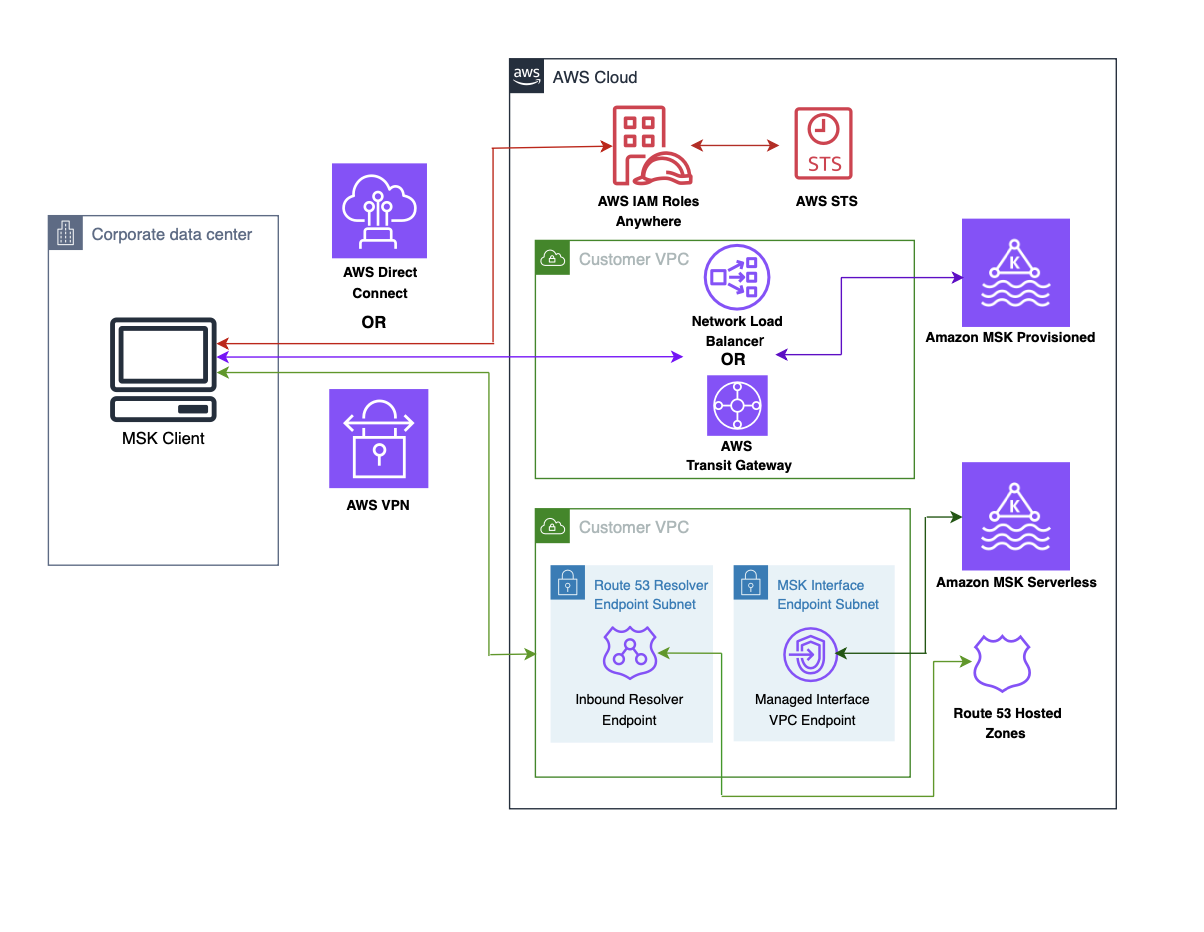
The flow of the architecture is as follows:
The instructions provided in this post assume that you are already acquainted with the process of creating an MSK serverless cluster and a client machine. Furthermore, it is presumed that you have successfully accomplished the following tasks:
To enable IAM Roles Anywhere for your on-premises Kafka client machine, you must configure two essential components in AWS Roles Anywhere: the trust anchor and the profile. The trust anchor establishes the trust relationship between Roles Anywhere and your certificate authority. This trust is utilized for authenticating certificates to obtain credentials for an IAM role. Profiles are predefined sets of permissions that are applied once successful authentication with Roles Anywhere has been achieved.
An X.509 certificate plays an important role in facilitating communication between the client machine and Roles Anywhere. You can use Public Key Infrastructure (PKI) platform of your choice to establish a certificate authority (CA).
If you prefer to generate your own X.509 client certificate, you can refer to the instructions outlined in IAM Roles Anywhere with an external certificate authority to guide you through the process.
For simplicity of this example, we use an AWS Private CA:
Navigate to the AWS Private CA console.
Create a Root CA
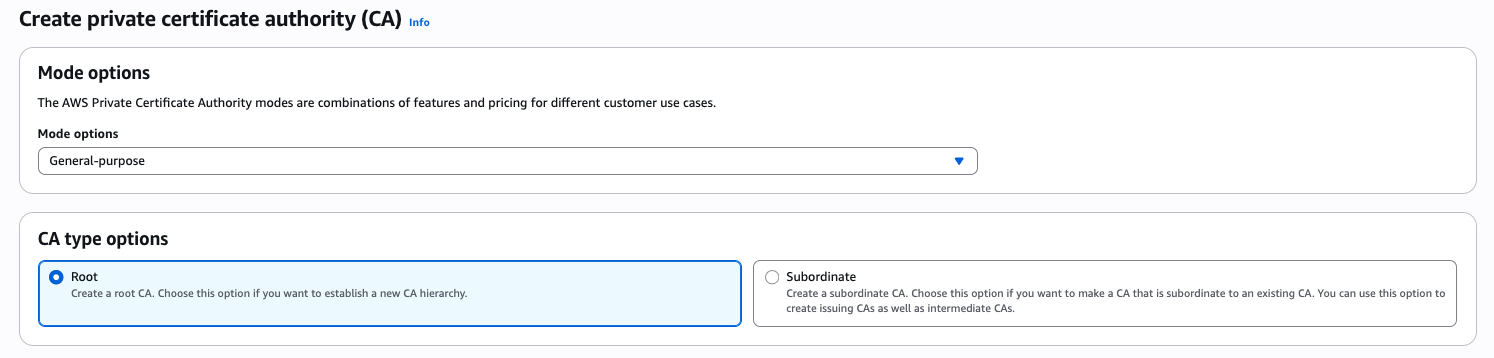
Create a Subordinate CA
This CA will be used for issuing certificates to IAM Roles Anywhere.
For generating a more secured and auto-renewed AWS private CA, refer to Procedure for creating a CA and How to build a CA hierarchy.
Step 2: Configure anchor
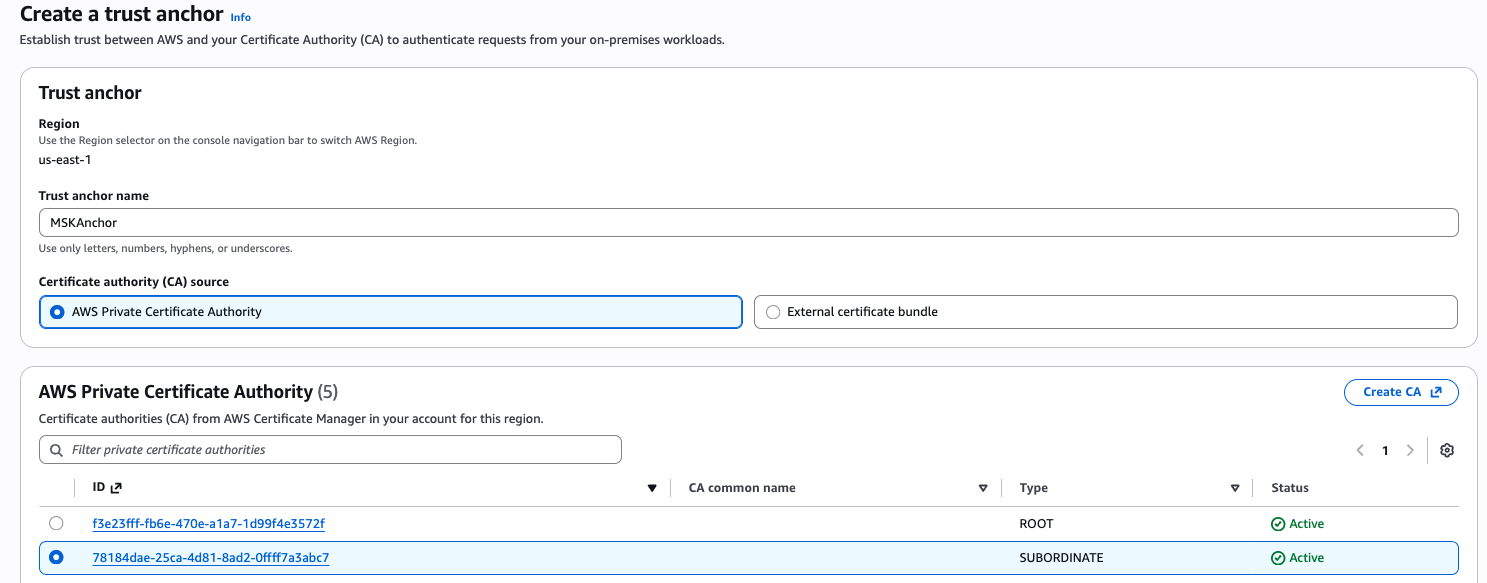
Step 3: Create and configure a role that trusts IAM Roles Anywhere
Now we create a role that you want your on-premises Kafka client machine to assume after authenticating to IAM Roles Anywhere.
Step 4: Setup profile
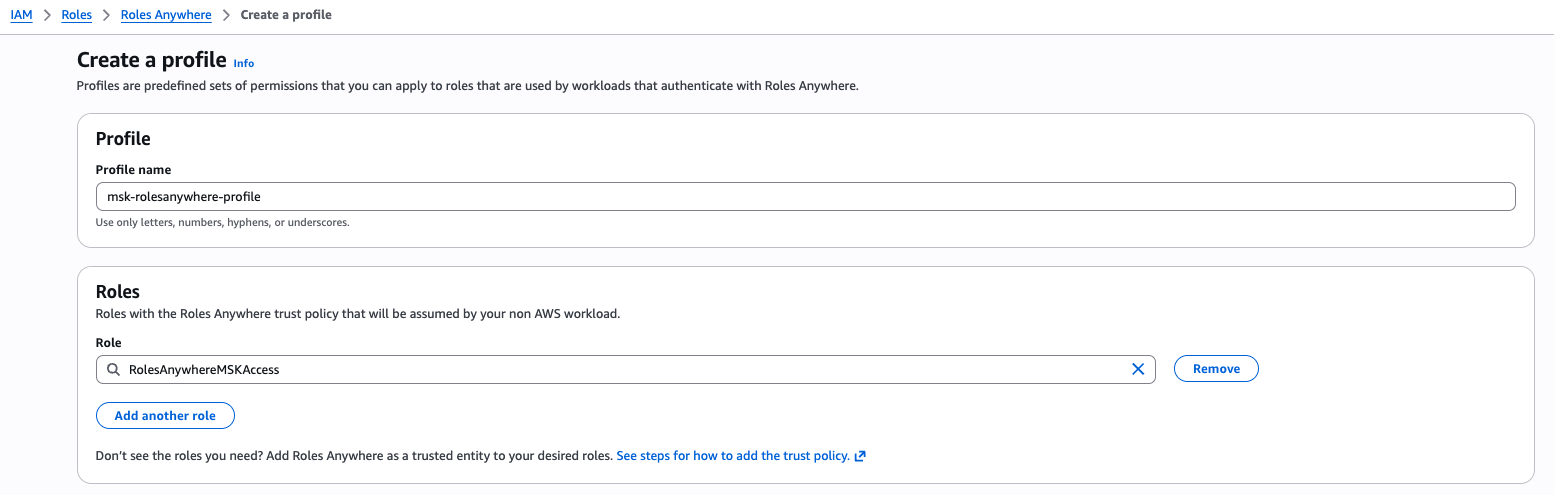
Step 5: Test the client machine
Now that we have successfully set up Roles Anywhere by creating a trust anchor and a profile, the next step is to test the client machine’s communication with Roles Anywhere. This involves retrieving a session token and establishing communication with the MSK broker.

You should receive the session credentials successfully from IAM Roles Anywhere.
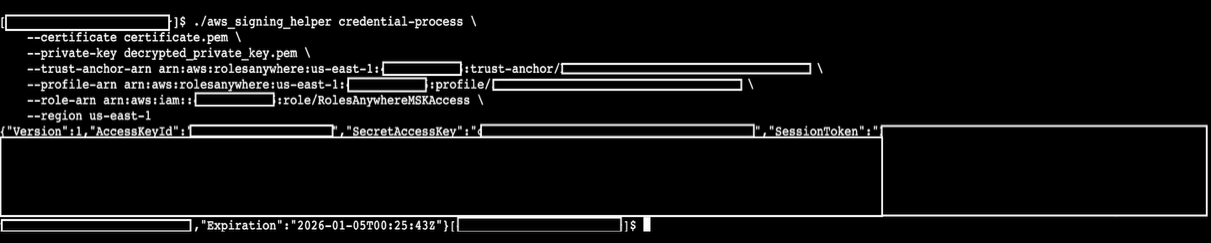
Once all steps are done, you should be able to see the Kafka client communicating to the MSK broker.

To stop incurring costs, it is recommended to manually delete the IAM Role, Profile, Trust Anchor, Policies, requested certificate in ACM and created certificates in AWS Private CA.
In this post, we showed you how to utilize AWS IAM Roles Anywhere to generate temporary session tokens for accessing MSK brokers from client machines outside of AWS. By implementing this approach, the security posture of Kafka clients connecting to MSK from outside of AWS are enhanced, allowing customers with stringent security requirements to confidently adopt MSK.
If you have any questions, you can start a new thread on AWS re:Post or reach out to AWS Support.
Ankit is a Senior Solutions Architect at Amazon Web Services, where he helps customers design and build secure, scalable, reliable, and cost-effective cloud solutions. Outside of work, Ankit enjoys spending time with his wife and little daughter.
Tony is a Senior Solutions Architect Manager on the Global Healthcare team at AWS. He leads teams of architects driving innovation across data interoperability, AI solutions, and secure cloud foundations for some of the industry’s largest healthcare organizations. In his spare time, Tony enjoys spending time with his wife and two children.
Kalyan is Senior Big Data & Analytics Specialist with Amazon Web Services. He helps customers architect and build highly scalable, performant, and secure cloud-based solutions on AWS.